Pixel Sorting

Pixel Sorting Effect for Glitch Art

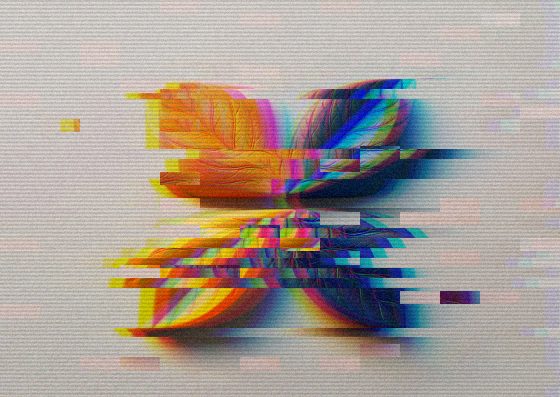
Pick a brightness range and watch those pixels melt into long streaks — the glitch-art technique made famous by Kim Asendorf, in one click.

Image to ASCII Turn any photo into ASCII art — copy it as text or save as PNG.
Image to Pixel Art Make 8-bit pixel art from a photo with retro palettes like PICO-8 and Game Boy.
Glitch Effect RGB split, slice shifts, scanlines and static — a GPU glitch effect for any image.
Halftone Effect Turn photos into print-style halftone dots, squares or diamonds in two colors.
Duotone Effect Map a photo onto two colors — the Spotify-style duotone look.
Fluted Glass Effect Reeded glass refraction: look at any photo through ribbed glass.
Shatter Effect Break a photo into flying blocks that scatter away from an intact center.
Photo to Pencil Sketch Turn a photo into a graphite pencil drawing with adjustable line weight.
Photo to Watercolor Soft watercolor washes with ink edges and paper texture from any photo.
Tilt-Shift Effect Miniature-world tilt-shift blur with a movable focus band.
Motion Blur Effect Directional motion blur for speed, panning and dynamic shots.
Film Grain Effect Analog film grain and a soft vignette for a 35mm look.
Chromatic Aberration Split red, green and blue channels for a lens-fringe or 3D-glasses look.
Light Leak Effect Warm analog light leaks and flares in any two colors.
Neon Glow Effect Trace the edges of a photo with glowing neon lines on a dark background.
Paper Cut Effect Layered paper-craft look with cut-out shapes and soft shadows.
Posterize Effect Reduce a photo to a few flat tones for a bold poster look.
Colored Pencil Drawing Turn a photo into a colored pencil drawing that keeps its colors.
Glow Effect Bloom glow: bright areas softly radiate light.
Lens Blur (Bokeh) Dreamy lens blur where bright spots bloom into bokeh.
Zoom Blur Effect Radial zoom or spin blur that rushes toward a point.
Glass Tiles Effect See a photo through hexagonal or square glass blocks with refraction.
Torn Paper Effect Rip a photo into torn paper pieces with white edges and shadows.
Hexagon Mosaic Pixelate a photo into a honeycomb of flat-colored hexagons.
Swirl Effect Twist a photo into a whirlpool around its center.
Water Ripple Effect Concentric water ripples spreading across a photo.
Bulge & Pinch Effect Magnify the center of a photo like a fisheye — or pinch it in.
Vignette Effect Darken — or tint — the corners to focus attention on the center.
Emboss Effect Raised relief look: turn a photo into an embossed grey surface.
Blur Image Blur a whole image smoothly — clean edges, any strength.
Sharpen Image Make soft photos crisper with an adjustable sharpening filter.
Demo image — drop, paste or upload yours

Pixel Sorting — how it works

Glitch-art pixel sorting: melt bright or dark pixels into long streaks.

What pixel sorting does

Along every column (or row) the effect finds runs of pixels whose brightness falls between the low and high thresholds and sorts each run from light to dark. Pixels outside the range stay put, so the subject keeps its shape while the selected tones smear into streaks.

Controlling the chaos

The thresholds decide what gets sorted: a narrow range touches only highlights or shadows, a wide one melts most of the image. Max length breaks long runs into shorter pieces for a more textured result. Stretch mode repeats the first pixel of each run instead of sorting — a smoother, paint-drip look.

Photos that sort well

Images with strong gradients — skies, skin, neon, sunsets — give the most dramatic streaks. Busy, evenly lit images tend to look noisy; raise the low threshold so only the brightest parts move.

Frequently Asked Questions

The brightness range probably doesn’t match your photo. Widen the gap between Threshold low and high, or switch Order to dark for a mostly dark image.

No — pixel sorting reorders real pixels along lines, while the Glitch Effect shifts slices and splits color channels. They combine nicely in Image Flow.

No, the sorting runs in your browser.